Choosing the Right Knowledge Base Software for Your Business
What is Knowledge Base Software?
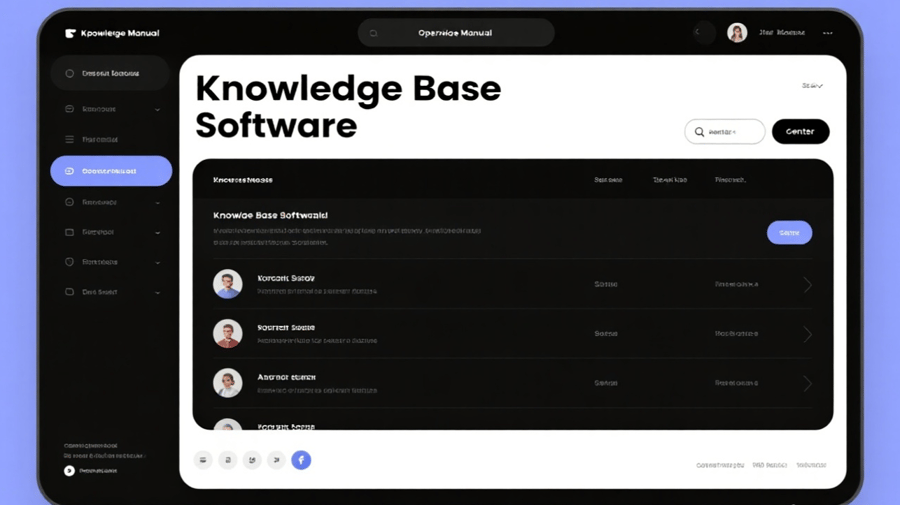
Knowledge base software is a tool that allows businesses to store, organize, and retrieve information. This software is used to create and manage a centralized repository of knowledge, including articles, FAQs, manuals, policies, and other important documents. Knowledge base systems can be internal, serving the needs of employees, or external, providing customers with self-service access to information.
Why is Knowledge Base Software Important?
The importance of knowledge base software cannot be overstated. It serves as the backbone of a company's knowledge management system, ensuring that employees and customers have access to up-to-date, accurate information at their fingertips. There are several key reasons why businesses adopt knowledge base software:
Increased Efficiency and Productivity: By having all critical information in one place, employees can quickly access what they need, reducing the time spent searching for documents or answering repetitive questions. This leads to higher productivity and fewer disruptions.
Improved Customer Support: A knowledge base allows customers to find solutions to their problems without needing to contact support. This self-service model not only improves the customer experience but also reduces the workload on customer support teams.
Knowledge Retention: Knowledge base software helps preserve institutional knowledge, even as employees come and go. By storing important documents and best practices, organizations can ensure that valuable insights are not lost.
Consistency in Communication: With a knowledge base, businesses can maintain consistent messaging and procedures across all teams and departments. Whether it's an internal policy or customer-facing communication, consistency is key to maintaining brand integrity.
Key Features to Look for in Knowledge Base Software
When evaluating knowledge base software for your business, there are several important features to consider. These features will determine whether the software meets your company's needs and contributes to achieving your business goals.
1. Ease of Use
The primary goal of a knowledge base is to make information easy to find. Therefore, it is crucial that the software you choose is user-friendly and intuitive. Both employees and customers should be able to navigate the platform with ease, even if they aren't tech-savvy.
2. Search Functionality
One of the most important features in any knowledge base is its search functionality. An advanced search function will allow users to quickly find articles and solutions using keywords, tags, and filters. Look for software that supports full-text search and allows users to search by categories, dates, or content type.
3. Customization Options
Every business is unique, and your knowledge base should reflect your brand's voice and meet your specific needs. Customization options allow you to tailor the look, feel, and structure of the knowledge base to align with your brand and workflows.
4. Cloud Integration
In today's digital world, cloud-based solutions are essential for remote work and collaboration. A cloud-based knowledge base allows your employees to access the information they need from anywhere, at any time. It also ensures that your knowledge base is secure, scalable, and easily updatable.
5. Collaboration Tools
For internal knowledge bases, collaboration tools are vital. These tools enable team members to work together to create, edit, and maintain knowledge base content. Some software includes features such as real-time editing, comments, and version control to ensure that the most accurate and up-to-date information is always available.
6. Security and Privacy
Data security is always a concern, especially when managing sensitive or proprietary information. Make sure the knowledge base software you choose offers robust security features, such as encryption, access controls, and multi-factor authentication, to protect your data and maintain compliance with privacy regulations.
7. Analytics and Reporting
A powerful knowledge base should not only help users find information but also provide insights into how the system is being used. Analytics and reporting features allow you to track which articles are most popular, which search terms are used most frequently, and where there are gaps in knowledge that need to be addressed.
Benefits of Implementing Knowledge Base Software
The benefits of using knowledge base software go beyond just having a place to store documents. Here are some of the key advantages that can positively impact your business:
Improved Customer Satisfaction: When customers can easily find answers to their questions, they are more likely to be satisfied with their experience. A knowledge base provides a self-service portal that allows customers to resolve issues quickly and efficiently, reducing the need for them to contact support.
Cost Savings: A knowledge base reduces the burden on customer support teams by allowing customers to find answers on their own. This leads to lower support costs, as fewer resources are required to handle inquiries.
Faster Onboarding: New employees can get up to speed faster by accessing a centralized knowledge base that contains all the information they need. This streamlines the onboarding process and helps them become productive more quickly.
Scalability: As your business grows, so does the amount of knowledge and information you need to manage. A knowledge base can scale with your organization, accommodating the increasing volume of content and users without compromising on performance.
Best Knowledge Base Software Options
There are numerous knowledge base software solutions available on the market, each offering a variety of features to suit different business needs. Some of the top options include:
Zendesk: Known for its powerful customer support tools, Zendesk also offers a robust knowledge base feature that integrates with its help desk platform.
Confluence: A collaboration-driven knowledge base that is ideal for internal use, Confluence offers seamless integration with other Atlassian tools.
Freshdesk: With its user-friendly interface, Freshdesk helps businesses build a comprehensive knowledge base that integrates with their customer support system.
Helpjuice: Helpjuice is known for its intuitive design and advanced search capabilities, making it an excellent option for creating a customer-facing knowledge base.
Conclusion
Choosing the right knowledge base software can significantly enhance the efficiency, productivity, and customer satisfaction of your business. Whether you're looking to improve internal workflows or provide better self-service options to customers, there is a knowledge base solution that can meet your needs. By considering key features such as ease of use, search functionality, and cloud integration, you can find the perfect software to support your business's knowledge management goals.